How to Carry an 85-Inch TV Safely Through Your Gainesville Home
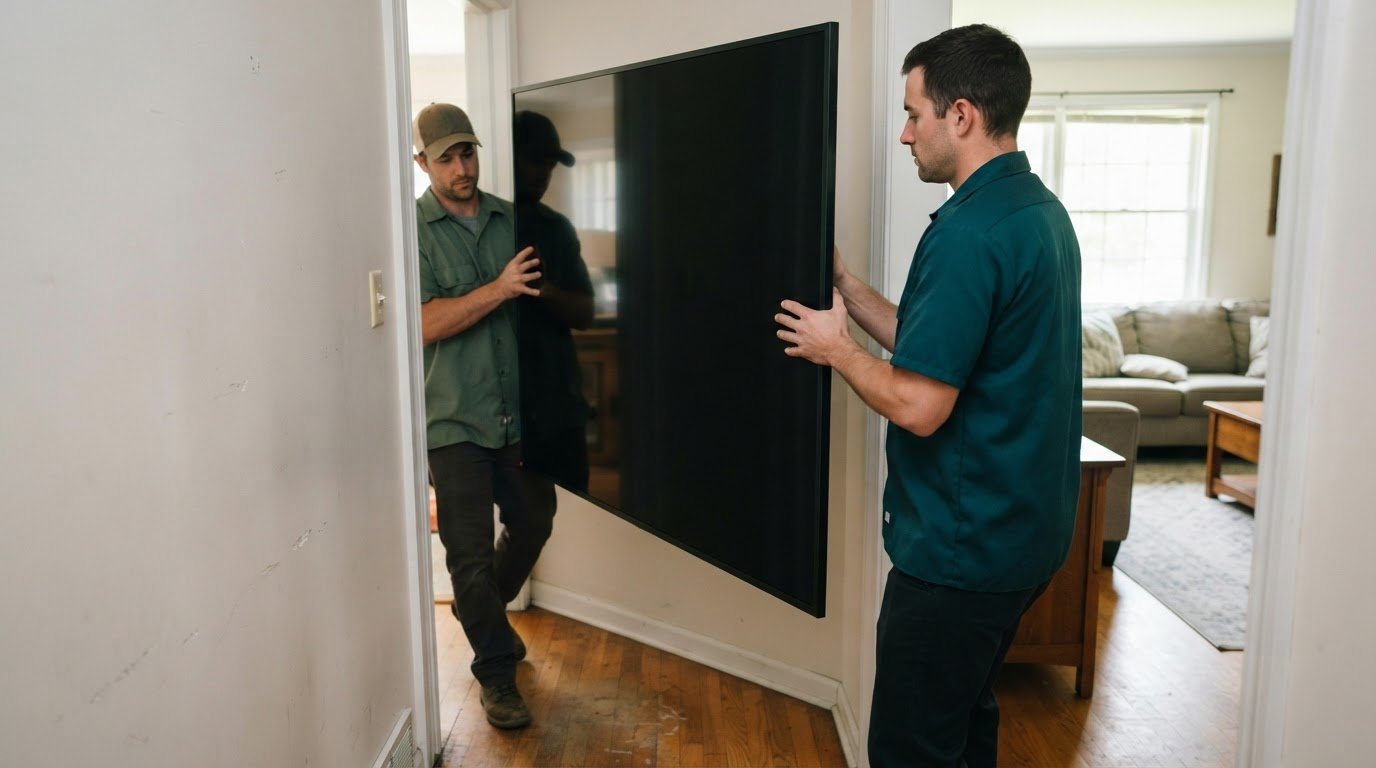
Keep an 85-inch TV upright while moving it through your Gainesville home. Laying it flat can put tension on the screen, so the safer approach to how to safely move an 85-inch heavy television inside a house in Gainesville is to protect it, carry it upright with help, and avoid forcing it around tight turns.
It’s understandable to wonder whether the original box makes the job easier. It can help protect the screen, but the television still needs careful handling, and its size can make doorways, stairs, and landings challenging. This guide explains how to handle the TV, cords, stand hardware, and packaging, and how to plan a clear route through your home. You’ll also learn when professional movers can make the lift and carry easier to manage.
Key Takeaways
- Keep a large flat-screen TV upright during the move; laying it flat can put tension on the screen.
- Plan the path through hallways, stairs, and landings before lifting, since a doorway measurement alone may not show whether the TV can turn safely.
- Remove cables and store them separately to prevent snags that could damage the TV’s ports.
- Use the original box if it fits and is in good condition, then secure the boxed TV so it can’t shift during transport.
- Get help carrying a large TV, and consider professional movers when tight turns, stairs, or a wall-mounted setup make the job harder to control.
Can I Lay a TV Down Flat While Moving It?
- Keep the television upright during every carry through your Gainesville home. Laying a flat-screen TV down can put tension on its screen. An impact or vibration may then contribute to cracking. For an 85-inch set, plan the route and carrying position before lifting. Don’t rotate it flat just to squeeze through a doorway or rest it on the stairs.
- Walk the full route before moving the television. Check each hallway, doorway, stair turn, and landing, not just the first entrance. A 36-inch doorway measurement alone doesn’t establish whether a TV or its box can turn safely at the next landing. Note door swings, railings, nearby furniture, and narrow corners that could block a steady upright carry.
- Measure the tight spots and compare them with the television’s actual outside dimensions. Screen size is measured diagonally from corner to corner, excluding the frame, so an 85-inch screen measurement doesn’t tell you its full width or height. Include any protective packaging in your clearance check. Pay special attention to stair landings, where the team may need room to pivot without tipping the screen.
- Work with a partner who can follow clear instructions and hold their side steadily. Before lifting, agree on who leads, who watches the path, and which way the screen will face. Keep the television upright and move at the slower person’s pace. A second person helps reduce the risk of dropping or tilting the set, or catching it on a doorframe. Pause together if the next turn isn’t clear.
- Don’t attempt a large flat-screen carry alone. A 43-inch television can already be awkward to handle safely by yourself. Moving a flat-screen that’s 65 inches or larger alone is genuinely risky and best avoided. If you’re facing a 75-inch television without help, stop and wait for someone to assist. An 85-inch set calls for a coordinated carry, especially on stairs.
- Take stairs one section at a time, keeping the television upright and making sure both carriers can maintain a firm grip. Clear the steps first, then pause at a landing if you need to position the TV for a turn. Don’t twist your body while holding the set or rush to keep pace. If the stairwell or landing doesn’t allow a controlled turn, stop rather than forcing the television through.
Removing and storing cords, remotes, and stand hardware
Separate the TV’s loose parts before packing, so cables and hardware don’t snag or disappear. An 85-inch TV’s weight depends on its model, and the stand adds weight; use the exact model’s weight with and without its stand to plan the lift.
-
Disconnect the Cables
Turn off the TV and disconnect each cable by its plug, not by pulling the cord. Attached HDMI and power cables can snag during the move and damage their ports. Remove connected devices, such as a streaming player or soundbar, and set them aside. Check the TV’s edges for cables that might be easy to miss.
-
Remove the Stand or Wall Mount
Set the TV down securely before removing its stand or wall mount. Follow the model’s instructions, and have a helper steady the set while you handle the hardware. Keep each screw with its matching stand or bracket part. Don’t force a fastener that resists turning, since the removal order can depend on the TV’s design.
- Gather the cables, remote, power cord, and any adapters in one place. Keep the remote separate from loose hardware so it won’t get scratched or buried under metal parts. Coil each cable loosely, without sharp bends, and secure it with a reusable tie or soft band. A tight knot can strain the cord and make it harder to reconnect.
- Put screws and small stand parts in a labeled bag. Write the TV model or “stand hardware” on the label, then keep the bag with the television’s accessories. If the TV has separate feet or a center stand, group each set with its own screws. This makes reassembly easier and keeps small pieces from slipping into a moving box.
- Protect the TV’s connection panel after disconnecting the cables. Keep loose cords away from the ports, and don’t place hardware where it could press against the screen or panel. Store accessories in a separate container or a secure pocket in the TV’s packaging. Avoid taping anything directly to the screen or leaving adhesive near its frame.
- Before the lift, make a quick parts check: TV, remote, power cord, other cables, stand or mount parts, and labeled hardware. Match the model information with the manufacturer’s weight details, including whether the listed weight includes the stand. If the large set still feels awkward to handle, get help with a heavy lift rather than carrying it alone.
Can I Move My TV Using the Original Box?
Yes, use the original box if it fits the television and its protective inserts are still usable. Gather the box, fitted padding, packing tape, and a helper. Then measure, pack, carry, and secure the TV upright.
-
Measure the TV and Moving Route
Measure the screen diagonally from corner to corner, excluding the outside frame. Then measure the TV’s full height and width, including its frame, and compare those dimensions with the box and route. Check doorways, hallway turns, stairs, and landings. A doorway measurement alone won’t tell you whether the packed TV can pivot through the next turn.
- Inspect the original packaging before placing the TV inside. Use the fitted foam or other inserts that came with the television, and make sure they hold it snugly without pressing against the screen. If the box is crushed, damp, or missing protective pieces, don’t rely on it to cushion the set. Keep the screen upright while packing.
- If the original box is unavailable, select a television moving box that fits the set and allows room for protective padding. Adjustable TV boxes are designed for screens from around 32 to 70+ inches, so an 85-inch television may exceed that listed range. Don’t force it into an undersized box. Use a properly fitting, sturdy alternative and secure padding around the screen.
-
Pack and Carry the TV
Protect the screen with suitable padding, place the TV upright in its box, and fit the inserts around it. Close and tape the box securely without pressing tape onto the screen. With a helper, lift from stable points on the box and coordinate at each turn. Keep the set vertical in hallways and on stairs, pausing if you need to reposition it on a landing.
- Prepare the truck space before carrying the television outside. Clear the route to the vehicle, then place the boxed TV upright between two flat, sturdy objects or secure it to the truck’s wall rub-rails with tie-down rope. Prevent it from shifting, tipping, or contacting loose cargo. Don’t stack boxes on the television.
- Secure the television inside the moving truck before travel. Check that its support won’t slide and that nearby items can’t fall against the box. Packing a flat-screen TV for moving or storage takes about 20 to 30 minutes when supplies are ready. Use that time to fit the packaging carefully, rather than rushing the final carry or truck setup.
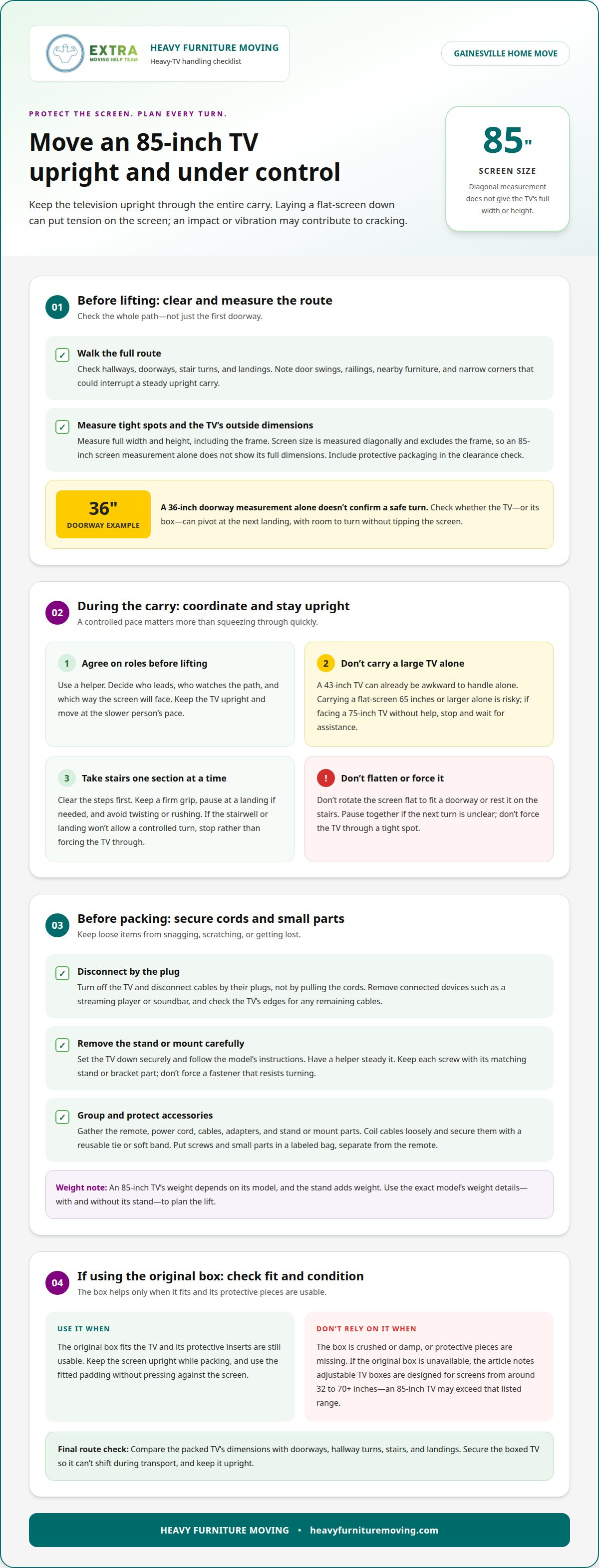
Keeping a TV upright while carrying and transporting it
- Choose a clear route before lifting the 85-inch television. Move floor lamps, rugs, and small tables from the path. Open doors fully and make sure they won’t swing shut during the carry. Check the hallway, stair entrance, and destination area again. A clear route gives both carriers room to move without sudden stops or awkward sidesteps.
- Agree on the carry plan before lifting the set. Decide who leads, who watches the path, and how you’ll communicate at turns. Hold the television upright, supporting its frame or designated handholds. Keep hands away from the screen. Don’t let one person move ahead while the other is still adjusting their grip.
- Lift together, then take short, controlled steps. Keep the television close enough to control without pressing it against your body or nearby walls. Move slowly through doorways and pause before tight corners. The person leading should call out changes in direction, while the other watches for doorframes, railings, and furniture.
- At the stairs, stop at the bottom and review the route before moving. Keep the television vertical and coordinate each step instead of twisting to reach the next stair. Pause on a landing if either carrier needs to reset their footing. Don’t rest the screen or lean the TV against a wall during a stair turn.
- Set the television down only on a stable, clear surface. Keep it upright while changing carriers or preparing for the next part of the move. Avoid placing it where a door, chair, or other household item could strike it. Before lifting again, make sure both carriers are ready and the route ahead is still clear.
- Keep the television upright and secured during vehicle transport. A boxed set can sit between two flat, sturdy objects or be secured to truck-wall rub-rails with tie-down rope. Keep surrounding cargo from shifting into it, and don’t place boxes on top. Check that it is secure before driving and after any stop.
- Unload with the same coordinated approach used indoors. Clear the path from the vehicle to the room, then carry the television upright with both people moving together. Stop if a doorway or turn becomes difficult to manage. For an 85-inch set, a controlled pause is safer than forcing a tight maneuver or changing its orientation mid-carry.
When to hire professional TV movers
Professional handling can make sense when a large screen, difficult route, or mounting setup makes a controlled carry hard to manage. Use these checks to decide whether to move it yourself or bring in help.
- Consider professional help for a television that’s 65 inches or larger. A modern 75-inch set can be thin and still difficult to move safely. Size affects grip, clearance, and how easily two people can coordinate turns. For an 85-inch screen, don’t judge the job by weight alone. Its wide frame can make hallways and doorways harder to navigate.
- Assess the route, not just the room where the TV sits. A straight hallway may be manageable, while stairs, narrow landings, and sharp turns make handling more challenging. Note each tight spot between the TV and its destination. If carriers can’t maintain a steady hold and keep the TV upright through those spaces, bring in experienced moving help.
- Factor in how the television is mounted. An 85-inch OLED on an articulating wall bracket can be a more difficult job than a straightforward 43-inch TV on a stand. The bracket, screen size, and available working space all affect the removal. A mounted television may need careful support before its fasteners are released.
- Be realistic about the help available. A second person reduces the chance of dropping or tilting the TV, or catching it on a doorframe, but coordination matters. If your helper can’t hold their side steadily, or one person has to manage both the screen and a tight turn, stop. Don’t try to compensate by carrying a large set alone.
- Choose professional movers when the job combines several challenges, such as an 85-inch screen, a stair landing, and a wall bracket. These factors leave less room for an awkward grip or rushed pivot. Professional help is also useful when you need the TV carried through the home but can’t safely coordinate the lift yourself.
- Before the move, identify whether the set is mounted or stand-supported, note the route’s tightest turn, and decide who will handle the lift. If those details point to a difficult carry, arrange help with the heavy lift. A clear plan lets the moving team focus on carrying and positioning the television without rushing through obstacles.
Heavy Furniture Moving
Heavy Furniture Moving can help when an 85-inch TV’s size, stairs, or tight turns make carrying it difficult to manage. Its moving help can support a heavy lift through your home, while in-home furniture moving assistance can fit a broader room rearrangement. The right help depends on the task and the route, such as getting a large screen safely past a narrow landing or moving other bulky items out of the way.
Share where the TV is, where it needs to go, and any obstacles along the route. Those details help the team plan the move. If the carry feels beyond your reach, contact Heavy Furniture Moving to discuss help with the job.
Make Your Next Move With Confidence
Before moving day, decide who will manage the lift and where the television needs to go. A clear plan helps avoid last-minute scrambling at a narrow doorway or an unexpected stair turn. If the route or the size of the set feels difficult to manage, getting help can take pressure off you and your household.
For guidance on how to safely move an 85-inch heavy television inside a Gainesville home, focus on the details that shape the job: the TV’s location, the destination, and any tight spaces between them. Sharing those details makes it easier to discuss the kind of moving help that fits your situation.
Take the next step when you’re ready. Plan your move with Heavy Furniture Moving, and move forward with a clear path and capable support.
Frequently Asked Questions
Can you lay a TV flat during a move?
No. Keep a flat-screen TV upright during a move because laying it flat can put tension on the screen. This matters even during a short carry between rooms, especially if the television is set down or bumped. If a doorway seems too tight, stop and reassess the route instead of turning the screen flat. A careful pause is better than forcing a turn.
What’s the Best Way to Lift a Flat Screen TV?
Lift the television with a partner, holding its frame or designated handholds rather than pressing on the screen. Agree on who leads before lifting, then move at the same pace. For example, the person at the front can call out a doorway or change in direction, while the other watches the rear edge. Set it down on a stable surface before changing grips.
How many people are recommended to carry an 85-inch television?
Use two people, with one carrier supporting each side and coordinating every turn. A television this large can be hard to control alone, even if it feels light enough to lift. Before starting, make sure both people can grip securely and communicate clearly. If either person can’t keep their side steady, don’t begin the carry. Wait until suitable help is available.
How should an 85-inch TV be protected from screen pressure, bending, and impacts?
Use packaging that supports the television without pressing against its display. Keep it upright, avoid pressing hands or straps against the screen, and prevent nearby objects from striking it. During a room-to-room move, keep bags, tools, and furniture clear of the TV’s path. In a vehicle, stabilize the television so it can’t shift, and never place cargo on top of it.
How do you measure doorways, hallways, staircases, and turns before moving an 85-inch TV?
Measure the television’s full outside width and height, then compare them with the narrowest route points. Include door openings, hallway turns, stair rails, and landing space. A diagonal screen measurement doesn’t give the TV’s overall dimensions. A practical plan for how to safely move an 85-inch heavy television inside a Gainesville home checks whether the set can turn at each transition, not just pass through a doorway.
Is it safe to lay an 85-inch TV flat during an indoor move?
No. Carry the TV upright from its starting room to its destination, even if the trip is inside the house. A short distance doesn’t eliminate the screen tension that can result from laying it flat. If you need to pause, choose a stable place where the television can remain vertical. Don’t rest it screen-down or use a stair tread as a temporary shelf.
When should you hire professional TV movers, and what do they cost in Gainesville?
Consider professional help when stairs, tight turns, or a mounted setup make the carry difficult to control. For a move in Gainesville, Virginia, the price depends on the job. Heavy Furniture Moving provides an upfront quote before work begins. Its pricing model uses hourly labor with a 2-hour minimum or flat rates for most single heavy items, so the job details determine which approach applies.
What precautions should you take when moving a TV upstairs or downstairs?
Clear the staircase and landing, then agree on who leads and who watches the screen’s clearance. Move in coordinated steps, keeping the TV upright and avoiding sudden twists. Stop at a landing if either carrier needs to adjust their footing or grip. Don’t rush a turn or lean the television against a railing. If you can’t maintain a controlled hold, pause and get help.
Frequently Asked Questions
No. Keep a flat-screen TV upright during a move because laying it flat can put tension on the screen. This matters even during a short carry between rooms, especially if the television is set down or bumped. If a doorway seems too tight, stop and reassess the route instead of turning the screen flat. A careful pause is better than forcing a turn.
Lift the television with a partner, holding its frame or designated handholds rather than pressing on the screen. Agree on who leads before lifting, then move at the same pace. For example, the person at the front can call out a doorway or change in direction, while the other watches the rear edge. Set it down on a stable surface before changing grips.
Use two people, with one carrier supporting each side and coordinating every turn. A television this large can be hard to control alone, even if it feels light enough to lift. Before starting, make sure both people can grip securely and communicate clearly. If either person can’t keep their side steady, don’t begin the carry. Wait until suitable help is available.
Use packaging that supports the television without pressing against its display. Keep it upright, avoid pressing hands or straps against the screen, and prevent nearby objects from striking it. During a room-to-room move, keep bags, tools, and furniture clear of the TV’s path. In a vehicle, stabilize the television so it can’t shift, and never place cargo on top of it.
Measure the television’s full outside width and height, then compare them with the narrowest route points. Include door openings, hallway turns, stair rails, and landing space. A diagonal screen measurement doesn’t give the TV’s overall dimensions. A practical plan for how to safely move an 85-inch heavy television inside a Gainesville home checks whether the set can turn at each transition, not just pass through a doorway.
No. Carry the TV upright from its starting room to its destination, even if the trip is inside the house. A short distance doesn’t eliminate the screen tension that can result from laying it flat. If you need to pause, choose a stable place where the television can remain vertical. Don’t rest it screen-down or use a stair tread as a temporary shelf.
Consider professional help when stairs, tight turns, or a mounted setup make the carry difficult to control. For a move in Gainesville, Virginia, the price depends on the job. Heavy Furniture Moving provides an upfront quote before work begins. Its pricing model uses hourly labor with a 2-hour minimum or flat rates for most single heavy items, so the job details determine which approach applies.
Clear the staircase and landing, then agree on who leads and who watches the screen’s clearance. Move in coordinated steps, keeping the TV upright and avoiding sudden twists. Stop at a landing if either carrier needs to adjust their footing or grip. Don’t rush a turn or lean the television against a railing. If you can’t maintain a controlled hold, pause and get help.